Carry around HMI!
See equipment information on a tablet or smartphone — securely.
Pro-face Remote HMI is remote monitoring software for mobile devices that allows you to check equipment information on a tablet or smartphone via a TLS-secured connection, ensuring encrypted and safe communication between your device and the equipment.
Pro-face Remote HMI Features
Pro-face Remote HMI
TLS Support
Enhanced cybersecurity measures ensure secure communication
for HMI access via external networks through encryption technologies such as TLS (Transport Layer
Security).
This improves the efficiency and reliability of remote maintenance and monitoring operations.
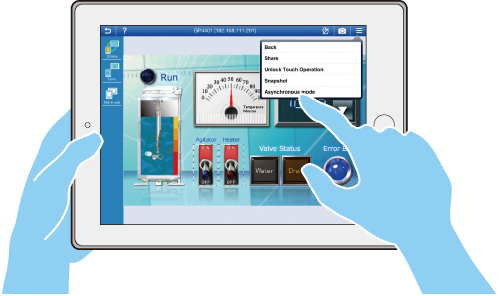
Synchronous and Asynchronous Operation Mode
The Pro-face Remote HMI supports synchronous and
asynchronous operation modes which switch during operation.
A new parameter in the GP-Pro EX setting provides the option to limit the operation modes for the
Pro-face Remote HMI.
* In the synchronous operation mode, the HMI and the Pro-face Remote HMI always display the same screen. In the asynchronous operation mode both devices can show different screens and allow independent operation.
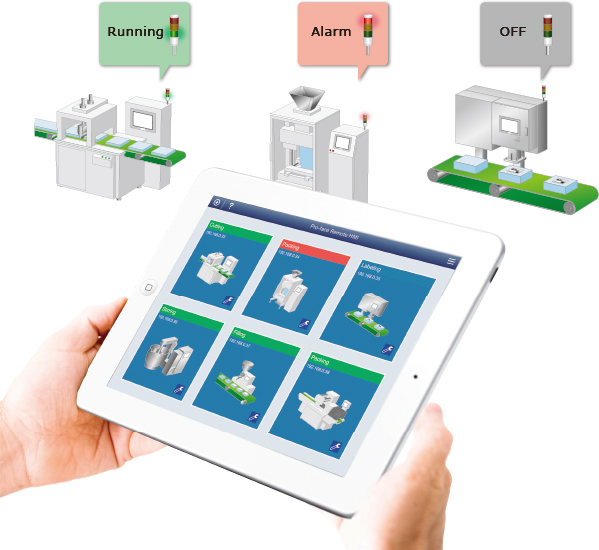
Alarm Monitor Function
Indicating the status of each HMI in the overview reduces the time for identifying the faulty system and further reduces the downtime and associated costs. Besides the status bar for each HMI, any alarm can also trigger an alarm sound.
* The Alarm Monitor Function is supported by GP-Pro EX Ver. 4.0 or later.
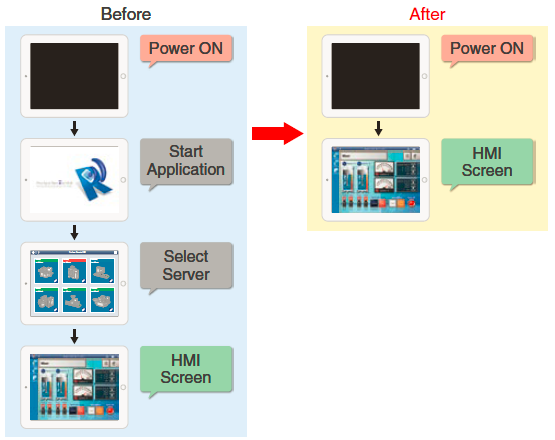
Auto Start
As soon as the power is turned on, it indicates User-specified display, right from start-up.
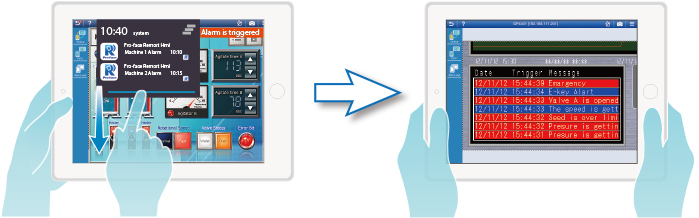
Able to display an alarm message on the Notification center
While you are displaying and operating a screen of the currently connected device on your tablet or smartphone, if an alarm is triggered on another device, you can immediately notice it. Swipe down the notifications and tap the 'Pro-face Remote HMI' alarm message in order to switch to the screen of the device with the alarm triggered, and you will be able to immediately respond to the alarm.
* This Function is supported by GP-Pro EX Ver. 4.03 or later.
* iOS is not supported.
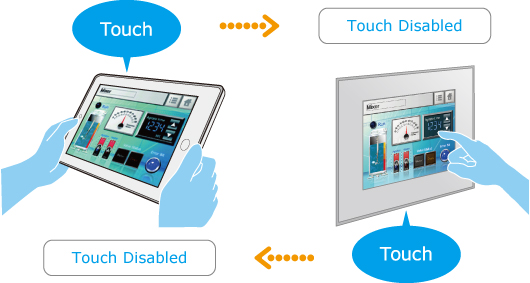
Exclusive Touch Operation
Setting the monopolize touch function prevents unexpected operational misuses caused by redundant operation. You can set a touch monopoly time, or set an arbitrary address for a control address to intentionally monopolize touch operation.
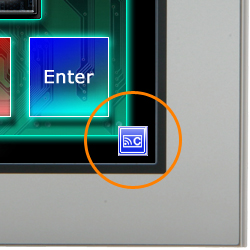
Remote Status Icon
A local operator can check the status of remote connection and touch monopoly of HMI server or remote client on a HMI screen for operation safety.
Blank: Connected
S: HMI Server monopolized
C: Mobile Client monopolized
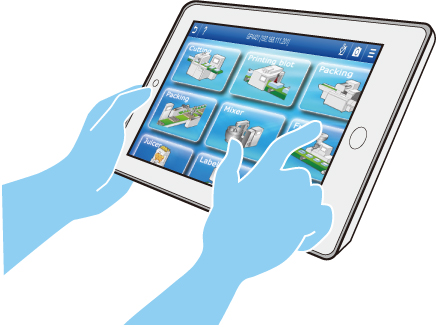
Screen Shortcut
Images or texts of machines to monitor can be registered as shortcuts to easily jump among multiple applications, for various working environment, such as in an office or manufacturing site.
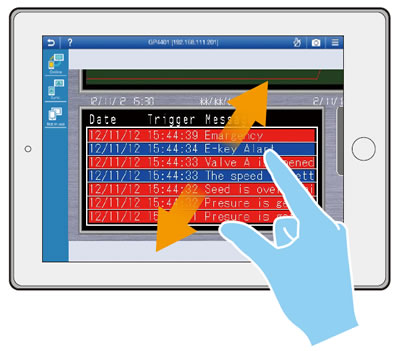
Easy Monitoring with Mobile Functions
You can check and operate details of screen status using
pinch open and close, while moving around a factory floor.
To prevent unintended machine operation, the pinch and slide operations can only be activated while
touch operation disabled.
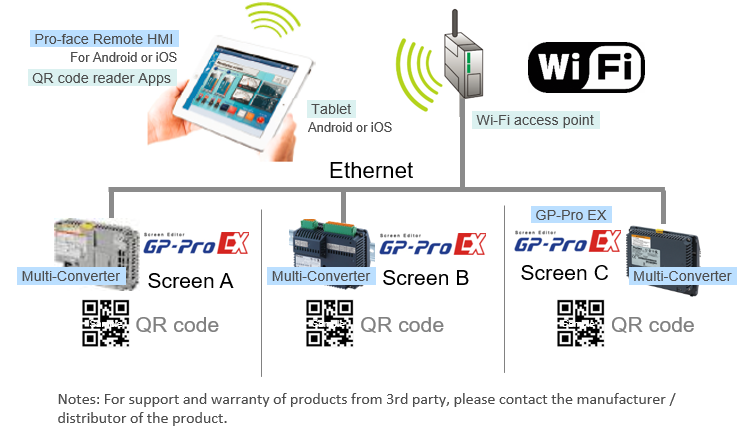
Deep Link feature
Easily create a link to open Pro-face Remote HMI application
on mobile devices.
QR codes, Emails or SMS can contain the deep link. Useful for Multi-Converter.
Pro-face Remote HMI Server
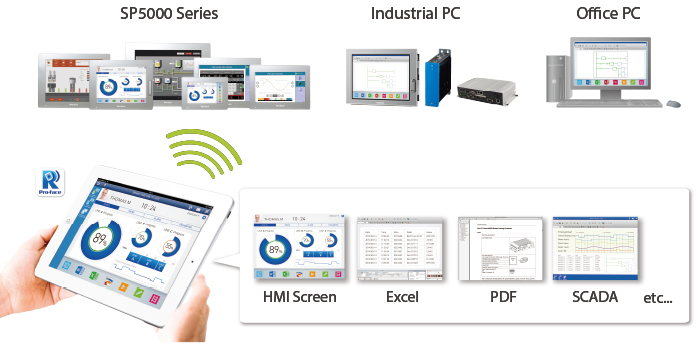
Connect to standard Windows-based systems
By installing Pro-face Remote HMI Server on any PC or IPC, you can use Pro-face Remote HMI to monitor and operate and monitor windows applications such as Excel and PDF.
* Pro-face Remote HMI Server is a Windows application to connect any PC or IPC with our Pro-face Remote HMI application and operate any kind of software via the application.
See the movie "Pro-face Remote HMI with PS5000 Series".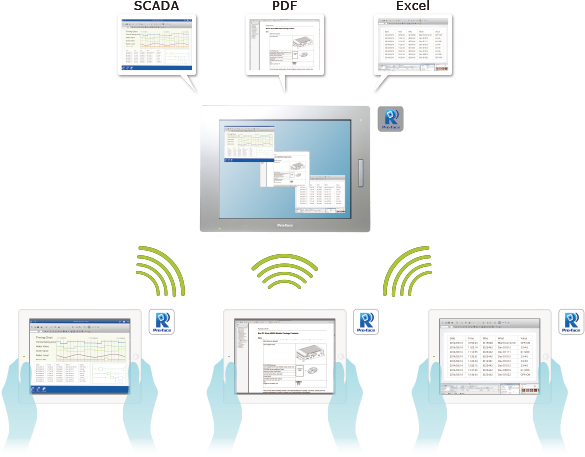
Simultaneous monitoring of different applications
The Pro-face Remote HMI Server can be accessed by multiple Pro-face Remote HMI APP enabled smart devices and distribute different views and programs simultaneously.
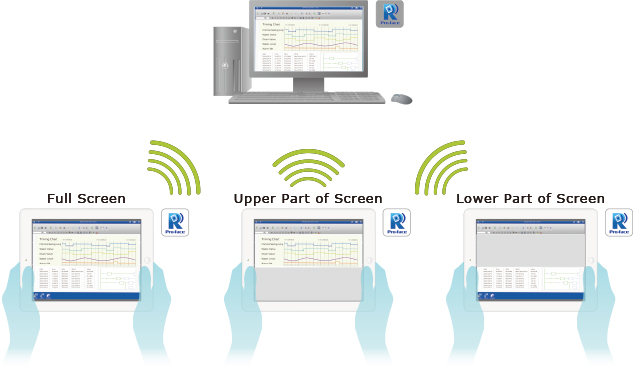
Customized views
The option to distribute custom designed area besides the standard desktop view or program view improves user guidance and minimizes the need for software changes.
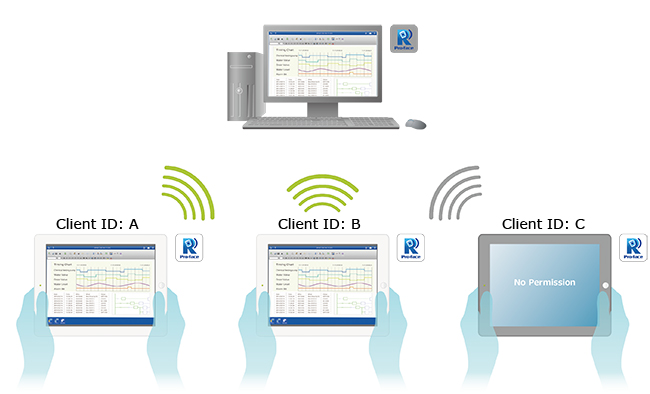
User management
The access of each connection of the Pro-face Remote HMI Server can be restricted for certain smart devices only. This further is improves the security and prevent unintended operation.
Application
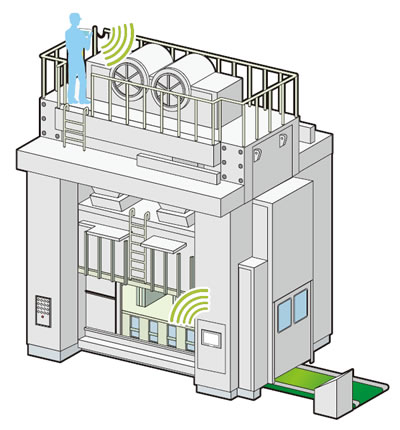
Monitoring Anywhere of Large/Long Equipment
Using the remote monitoring and operation functions, actions that previously required multiple staff for a large-sized machine or long-distance application can be easily accomplished by fewer operators.
* Please check equipment status and maintain conditions for machine safety to avoid unintended equipment operation.
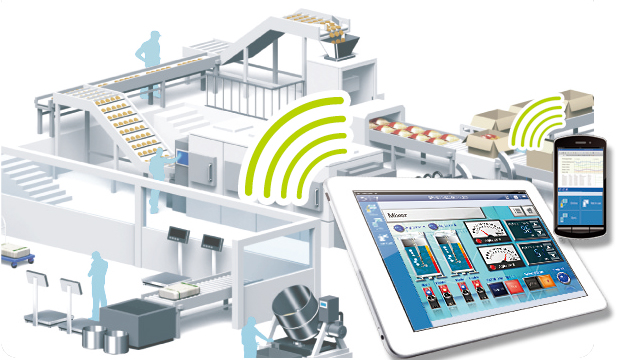
Save time with remote troubleshooting
Confirm the cause of an alarm directly with your mobile device and see if the machine can be put back into operation without going on site. Operate Windows software via any Pro-face Remote HMI enabled smart device.
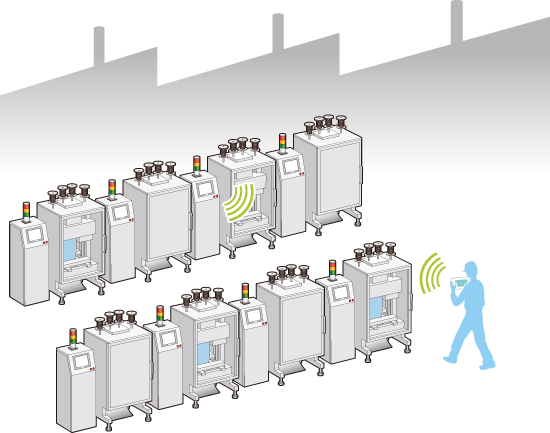
Efficiently and effectively monitor machines on the factory floor
Pro-face Remote HMI allows you to check machines and equipment for alarms, operating status, and other information using a tablet or smartphone from anywhere on the factory floor.
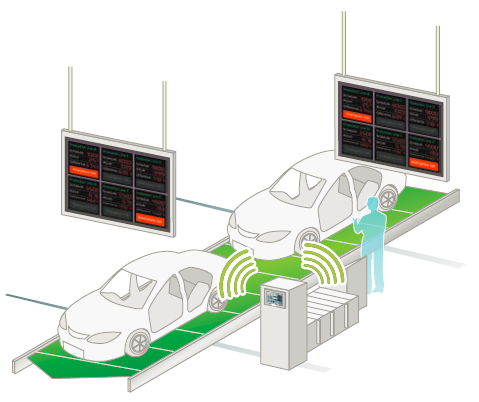
Wireless Andon System
Wireless Andon system reduces time and work for installation, and can be installed anywhere. No PLC programming is necessary. PC-based alarm display can easily be implemented.
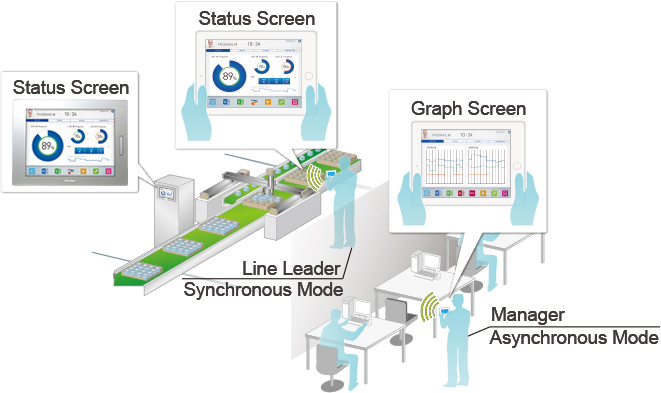
Multi-client Function
For checking the status of equipment from different points of view, multiple units can be operated simultaneously.
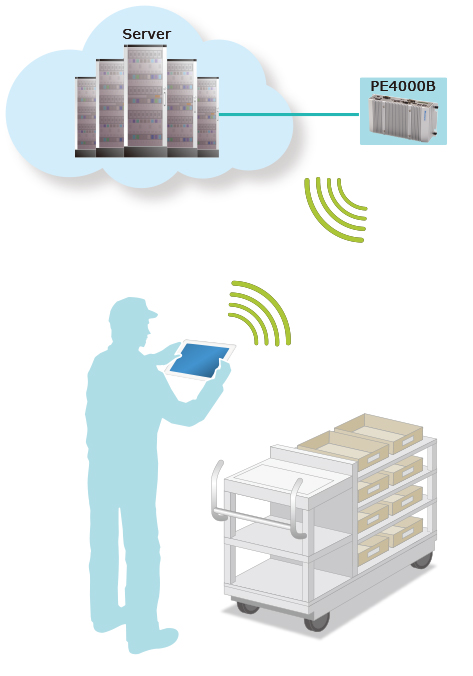
Streamline processes and improve operation
Mobile tasks such as picking or utility inspections do particular benefit from the functionality and the concept of using standard mobile devices with a flexible interface.
Click here for the detail of Remote HMI Server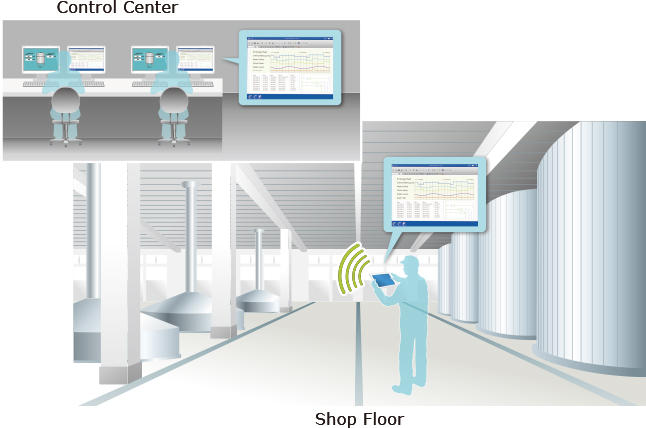
Mobilize your existing control system
The Pro-face Remote HMI Server mobilizes installed control systems without any modification or update of the control system itself and thereby provides a handy solution for increased efficiency.
Click here for the detail of Remote HMI ServerDownload
Download from App StoreDownload from Google Play
Download Windows application
See the movie
Remote debugging for reduced labor at start-up.
Tablet at a production site. See the new concept with Pro-face Remote HMI.
"Where should I start from?" and then, see explanations in the movie.
Version Information
Version 1.80.000 for Win
- Application and communication security has been improved.
- Improving server list management.
- Supporting Administrator/Operator mode.
- Alarm Monitor Custom Setting.
-Bug fixes.
Version 1.71.000 for Android
- Supporting Android 16.
Version 1.71.000 for iOS
- Supporting iOS 26.
Version 1.70.001 for Android
- The folder for Snapshot has been changed.
- Bug fixes.
Version 1.70.000 for iOS
- Supporting iOS 16, 17 and 18.
- Application and communication security has been improved. (CVE-2024-12399)
Version 1.70.000 for Android
- Supporting Android 14 and 15.
- Application and communication security has been improved. (CVE-2024-12399)
Version 1.60.100 for Android
- Added support of Android 11, 12 and 13.
- The folder for Export/Import Server information and Snapshot has been changed.
- Added new scheme of Deep Link.
Version 1.60.001 for iPhone, iPad and iPod touch
- Released in France.
Version 1.60.000
- Supporting connection via Pro-face Connect (Support LinkManager Mobile).
- Supporting Deep Link feature.
- Supporting iOS 14.
- Change AutoStart settings (for Android only).
- Automatic startup menu update.
- Bug fixes.
Version 1.50.000 for Android
- Supporting Android 8, 9, and 10.
- Deep Link feature.
- Bug fixes.
Version 1.50.000 for iPhone, iPad and iPod touch
- Supporting iOS 11, 12, and 13.
- Deep Link feature.
- Bug fixes.
Version 1.42.000
- Windows application "Pro-face Remote HMI Client for Win" is released.
Version 1.42.100 for Android
- Able to configure a host name in IP address column.
Version 1.42.100 for iPhone, iPad and iPod touch
- Fixed that the edit menu does not pop-up, when many servers are registered.
Version 1.42.000*
* GP-Pro EX Ver. 4.05 or later is required.
- GP4100 Series Color Model supported.
- An app is automatically launched after Android OS starts up.
Version 1.41.000*
* GP-Pro EX Ver. 4.03 or later is required.
- Alarms on each terminal unit are displayed as messages in the notification area. (For Android only)
- Simultaneous access from multiple tablets is supported.
Version 1.30.000*
* GP-Pro EX Ver. 4.0 or later is required.
- SP5000 Series supported.
- GP4000M Series supported.
- Alarm Monitor Feature.
Version 1.20.000*
* GP-Pro EX Ver. 3.6 or later is required.
- LT4000M Series supported.
- Full-Screen Display.
- Change the background color at the time of screen display.
New Feature in Version 1.10.000 (compatible with iOS)*
* GP-Pro EX Ver. 3.5 or later is required.
- Control of monopolizing touch operation.
- Special Switch parts can be operated in the asynchronous mode.
- The synchronous and/or asynchronous connection mode can be selected at the time of boot.
- Control of the synchronous/asynchronous mode.
- Erasing Unlock Touch Operation messages.
- Improving UI of thumbnails.
Related Information
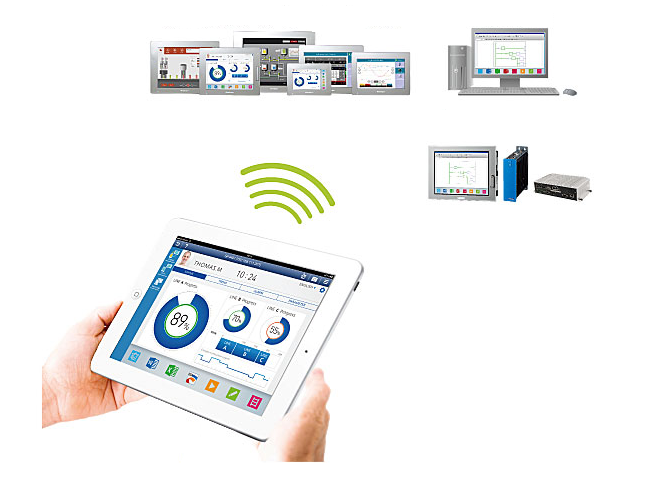
Compatible with Windows applications
It's possible to display and operate Windows applications on our
industrial PC, SP5000 Open Box.
* A license of Pro-face Remote HMI Server is required for use.
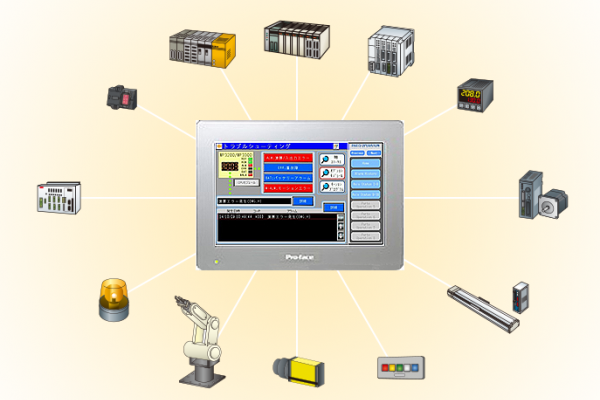
Download Software Trial Version
Try Pro-face screen-creation software, data-collection software, monitoring software and so on before purchase. WinGP and Pro-face Remote HMI Server are included in the disk 2 of GP-Pro EX.
Pro-face Remote HMI Q&A
For more technical information, please see the Pro-face Remote HMI Q&A.
Pro-face Remote HMI / Pro-face Remote HMI Client for Win Quick Guide
For customers who use Pro-face Remote HMI/Pro-face Remote HMI
Client for Win for the first time.
“Basic” of installation and settings.
Related Products
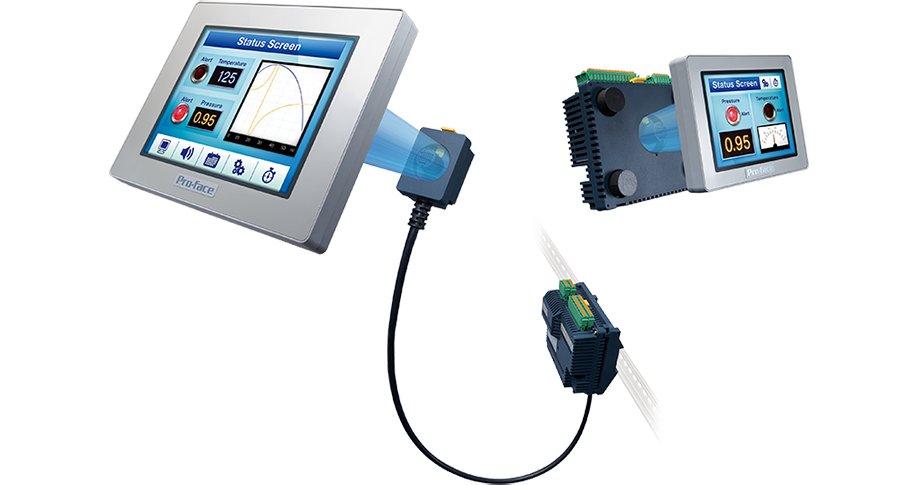
LT4000M Series: Easy Instration with 22mm Hole Mounting + Hybrid HMI control function
Flexible installation using a circular hole or built-in I/O
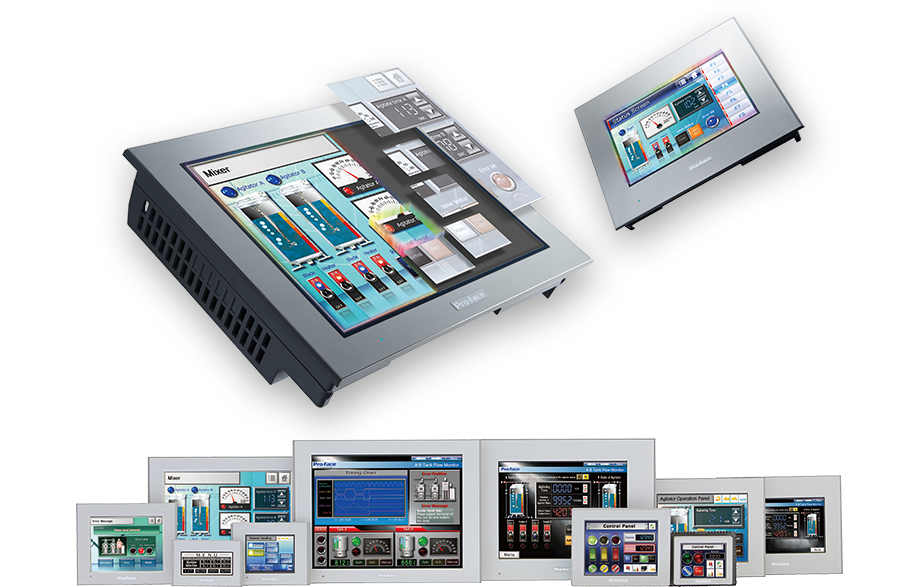

SP5000 Series: Modular HMI Smart Portal
Flagship Model of HMI for extensive use of information