

PS6000 Series
Lineup / Specifications
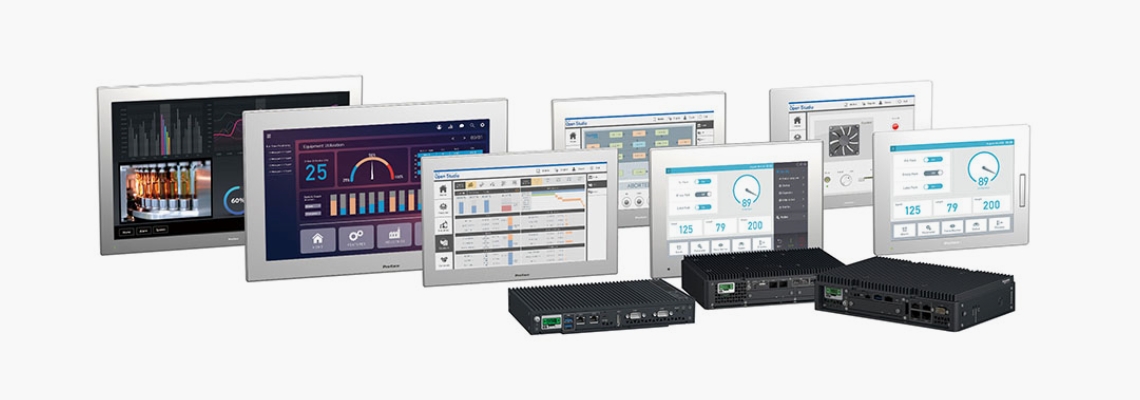
For more details, please access the Product Configurator. Easy to find your favorite configuration.
| Advanced | Standard | Basic | |||||||
|---|---|---|---|---|---|---|---|---|---|
| CPU | Core i7 | Core i5 | Celeron | Core i3 | Atom | ||||
| Core | 4 | 4 | 2 | 2 | 4 | 2 | |||
| DIM | 8 - 32GB | 4 - 16GB | 8 - 32GB | 8 GB | 8 GB | 4 GB | |||
| Supported OS*1 | Windows10 IoT Enterprise 2021 LTSC (64bit) and Windows 11 IoT Enterprise 2024 LTSC (64bit)*2 | ||||||||
| Storage | M.2 SSD x 1 2.5" HDD / SSD x 2 | M.2 SSD x 1 2.5" HDD / SSD x 1 | M.2 SSD x 2*3 SD card x 1 | ||||||
| Option I/F | 2 slots (Slot-in) | 1 slot (Slot-in) | 1 slot (Slot-in) | ||||||
| Expansion slots | PCI x1 + PCIe x 1 / PCIe x 2 / PCI x 2 | - | - | ||||||
| Projected Capactive | 22” Wide | Spec | Spec | Spec | Spec | Spec | Spec | Spec | |
| 19” Wide | Spec | Spec | Spec | Spec | Spec | Spec | Spec | ||
| 15” Wide | Spec | Spec | Spec | Spec | Spec | Spec | Spec | ||
| 12” Wide | Spec | Spec | Spec | Spec | Spec | Spec | Spec | ||
| 10” Wide | - | - | - | Spec | Spec | Spec | Spec | ||
| Resistive Film | 15” | Spec | Spec | Spec | Spec | Spec | Spec | Spec | |
| 12” | Spec | Spec | Spec | Spec | Spec | Spec | Spec | ||
| Box only | Spec | Spec | Spec | Spec | Spec | Spec | Spec | ||
-
- *1
-
Open Source Software Node.js, Node-RED, and node-red-dashboard are included. Please
refer to the following URLs for copyright and license information.
https://github.com/nodejs/node/blob/main/LICENSE
https://github.com/node-red/node-red/blob/master/LICENSE
https://github.com/node-red/node-red-dashboard/blob/master/LICENSE
-
- *2
- Win11 for Atom is available for 4 core model only.
-
- *2
- When installing the second M.2 SSD, the interface option cannot be installed except for the M.2 WiFi/Bluetooth module.
Selection Guide
|
Basic (Atom) |
Standard (Core i3) |
Advanced (Core i7 / Core i5 / Celeron) | |
|---|---|---|---|
|
UI design and integrate application software for operator terminal (Powered by BLUE Open Studio) |

|
|
|
|
Use together with other software and connect to IT system (Powered by BLUE Open Studio including Data Base functionalities.) |
|
|
|
|
Remote Visualization on PC or Tablet Powered by BLUE Open Studio Thin Client License or Pro-face Remote HMI Client for Win |
|
|
|
|
Secure remote connect (Powered by Pro-face Connect) |
|
|
|
|
Simple field connections (Compact operator panel) |
|
|
|
|
Wide field connections (Several controllers connection) |
|
|
|

