{"searchBar":{"inputPlaceholder":"Search by keyword or ask a question","searchBtn":"Search","error":"Please enter a keyword to search"}}
{}
{"support":{"yesButton":"Yes","noButton":"No","feedback":{"title":"What can we do to improve?"},"submitButton":"Submit","successMessage":"Thank you for your feedback","title":"Did this answer your question?","feedbackPercentLabel":"of people found this helpful","captcha":{"error":"Please check the box"}}}
Search FAQs
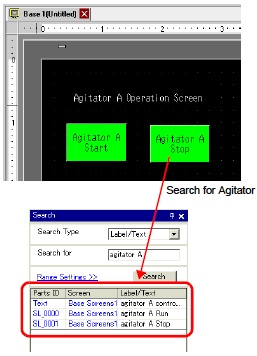
I want to search/replace parts addresses, labels, and comments!
You can search and replace the addresses, labels, and comments of the parts used on the screen.
NOTE
-
You cannot search addresses and texts if they are used in the [Common] settings. You can search parts or drawings found on a base screen, window screen, video screen, and header/footer.
-
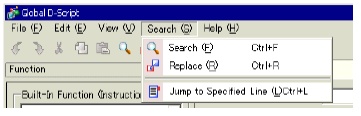
You cannot search addresses and comments if they are used in scripts. To search texts used in scripts, go to the [Search] menu in the settings dialog box. e.g.) Global D-Script