

Logs
This product records two types of system logs.
|
Item |
Description |
|---|---|
| OS Logs |
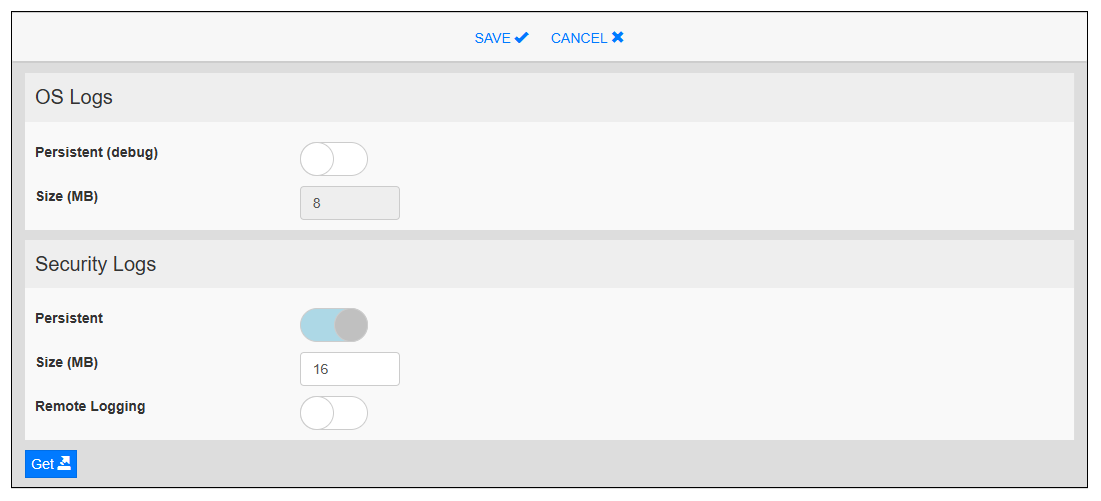
Collects all the information related to the operation of the product from the time it is powered on until it is powered off. This log is used to verify that the product is functioning properly and to diagnose any malfunctions. Persistent (debug) When enabled, retains log files in the product even after the product is powered off. Default: Disable Size (MB) Displays the log file size. The System Manager cyclically writes to three files of this size. |
| Security Logs |
Collects information about users who log in to the product and the operations they perform. Persistent Log files stored in the product are retained even after the product is powered off. Default: Enable (fixed value) Size (MB) Displays the file size. The System Manager cyclically writes to three files of this size. Remote Logging Enable to save logs to the remote Rsyslog server by specifying its IP address and port number. Default: Disable |
Touch Get to download the collected text-based log files compressed into a .gz file. The messages file contains primary system information, and the audit folder stores security-related data.