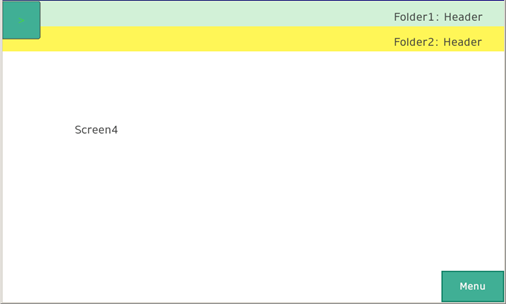
Changing Screens with Multi-Layer Folders
By creating folders inside folders, you can change screens in a hierarchical screen structure.
Up to two folder levels can be created.
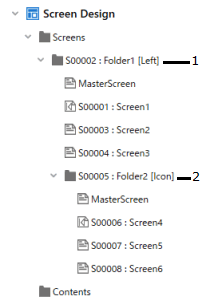
1:1st Layer
2:2nd Layer
Set up navigation to folders inside folders.
The following is an example of changing screen operation when there are different types of navigation for each folder level.
1st Layer: [Left]
2nd Layer: [Icon]
For information about screen transitions by other combinations of
navigation, see the following.
Example of Screen Transitions
with Multi-Layer Folders
When a header/footer are set for the master screen in the second-level folder as well, the screens in the second layer folder will display the headers/footers for both levels.