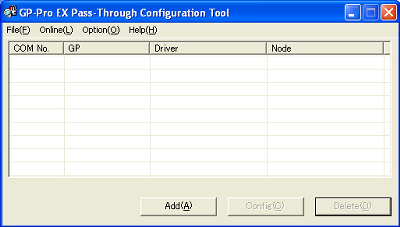
| 1. | To open Pass-Through Configuration Tool, please follow [Start] on the Windows desk top → [Pro-face] → [Pass-Through] → [Pass-Through Configuration Tool]. |
| |
| 2. | If this is the first time to open [Pass-Through Configuration Tool], the virtual COM driver will be adjusted automatically. After the automatic adjustment of the virtual COM driver is finished, restart your PC. |
| |
| 3. | Open [Pass-Through Configuration Tool] again. |
| 
|
| 4. | Click [Add] on the dialog box [Pass-Through Configuration Tool]. |
| |
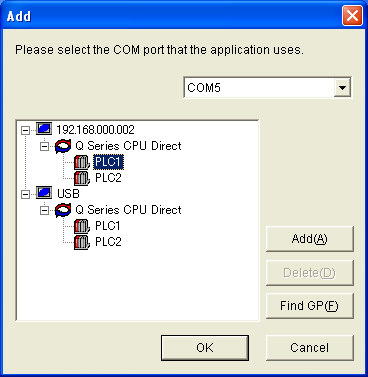
| 5. | A list of available connection devices will be displayed on the dialog box [Add]. Select the COM port (the virtual COM) and a connection device that the application will use. Click [OK]. |
| 
|
| | MEMO | | * | If the connection device to use is not displayed, please click [Find GP]. If the connection device is still not displayed after [Find GP], click [Add]. |
|
|
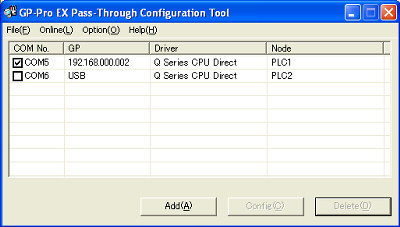
| 6. | The combination of the virtual COM and the connection device will be displayed on [Pass-Through Configuration Tool]. When the check box of the COM port is on, the virtual COM port is online. |
| 
|
| | MEMO | | * | During executing the pass through application, an icon is displayed on the task bar. Right-click the icon to display the menu. Select [Execute Configuration Tool]. | 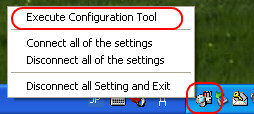 |
|
|


