{"searchBar":{"inputPlaceholder":"Search by keyword or ask a question","searchBtn":"Search","error":"Please enter a keyword to search"}}
{}
{}
Search FAQs

Yasukawa MEMOBUS Ethernet

Yasukawa MEMOBUS Ethernet

When replacing the cable (RS-232C) used for GP2000/77R/70 series to GP3000 series,
.
System Configuration Diagram of GP2000/77R/70 series

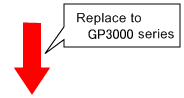
System Configuration after the replacement to GP3000 series

he connection system of GP3000 series and GP2000/77R series are same, so it is possible to replace into GP3000 series directly. About Communication setting, refer to device connection manual.


Important notes for the replacement of the cable from GP2000/77R/70 series to GP3000 series *Be sure to read here.
Warning messages of [Project converter]
-When a project file of GP-PRO/PB3 will be converted by [Project converter], these messages will show in following cases.
Warning message
Detail
The cofiguration of "(Destination)Port No." is set to 1024 as default.Please check on the editor of GP-Pro EX.
When the project file of GP-Pro/PB3 is converted, if the configuration of "(Destination)Port No. is set " 65535", [Project converter] will be set to"1024" as default.


Please refer

Did this answer your question?