Shinko Technos Controllers SIO | | 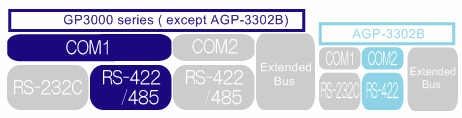 |
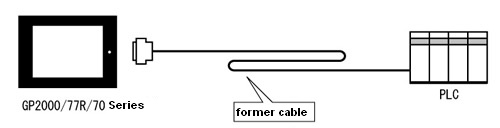
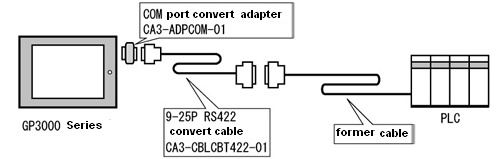
| | When replacing the cable (RS-422 1:1/1:n) used for GP2000/77R/70 series to GP3000 series, | | | | | 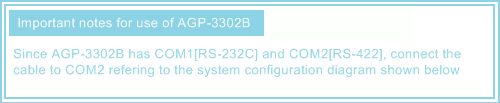
|  | | | System Configuration Diagram of GP2000/77R/70 series | | Connect to COM1. | | | | | | | System Configuration Diagram of GP3000 series | | |
|
| | *When you use the terminal adapter(GP070-CN10-O)at GP2000/77R/70 series. |
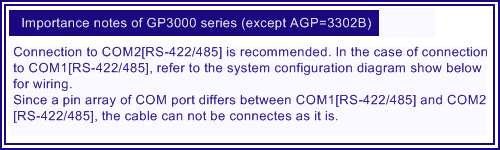
| | Important notes for the replacement of the cable from GP2000/77R/70 series to GP3000 series *Be sure to read here. | | | When replacing the hardware from GP2000/77R/70 series to GP3000 series, there are important notes shown below. | | | Communication settings | | - | Initial settings between GP-PRO/PB3 and GP-Pro EX are different as below. | | | | GP-PRO/PB3 | GP-Pro EX | | Wait to Send | 0msec | 2msec | | Timeout | 10sec | 3sec | | Retry | 2 | 2 |
|
| | Supported devices | | - | For GP-Pro EX,the notation of word device differs.Also, the notation of Node differ. | | | | GP-Pro/PB3 | GP-Pro EX | | Address String | Address String of Controller | Address String | | Bit Device | 01/1CH010 | 01 | 1CH0010 | | Word Device | 01/2CH01 | 01 | 2CH001 |
|
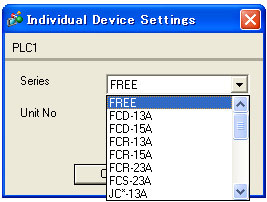
| | Warning messages of [Project Conveter] | | - | When the project file of GP-PRO/PB3 will be converted by [Project converter], these messages will show in following cases. | | | Warning Message | Description | | Baudrate which cannot communicate is chosen. It is changed into 9600bps which is a default value. | In case the Baudrate of the project file created on GP-PRO/PB3 is set 187500bps, it is changed to 9600bps. | | Please select the SERIES of Device-Specific Settings. The default Series is “FREE”. | This message is displayed after conversion. If you convert a project file created on GP-PRO/PB3, it will be converted to the "FREE" series. Be sure to change to the series of the controller to be connected in GP-Pro EX after conversion. (GP-PRO/PB3 does not have this settings.) | | The value Wait To Send is changed to the Default Value. | This message is displayed when the value of Wait to Send is 0 or 1. The value is changed to the default value. |
|
|
|
|
| Please refer to |  |
|  |
|