

Date & Time
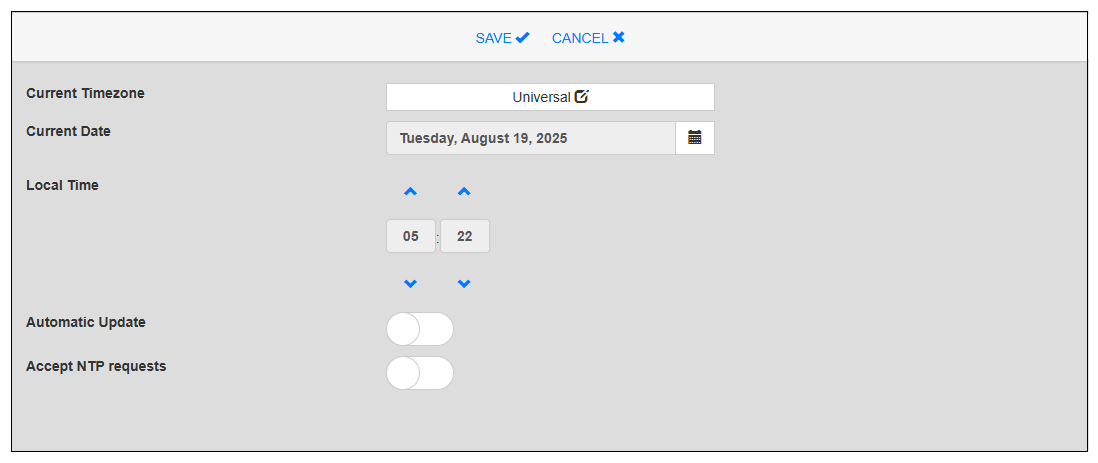
Set the date and time of the product's internal clock.
|
Item |
Description |
|---|---|
| Current Timezone |
Select the region where this product will be used. |
| Current Date / Local Time |
Manually set the current date and time when Automatic Update is disabled. |
| Automatic Update |
Automatically updates the time on the product by synchronizing with the NTP server. Default: Off |
| NTP Server |
This setting appears when Automatic Update is enabled. Specify the NTP server. |
| Slow time adjustment (not more than one minute a day) |
This setting appears when Automatic Update is enabled. Set whether to gradually adjust the time difference when synchronizing with the NTP server. Default: Disable If disabled, NTP can apply a significant correction to correct date and time drift. If enabled, NTP uses the standard correction rate of 500 ppm to correct drift. As a result, aligning the system time to the NTP server time could take a significant amount of time. (For example, to correct a difference of 5 minutes would take about 7 days.) |
| Accept NTP requests |
Set whether to accept NTP server requests when Automatic Update is enabled. Default: Disable |