From the [Settings] on your PC, select [Network & Internet], and then select [Advanced network settings]. Expand [Ethernet].
Right-click [More adapter options] and click [Edit].
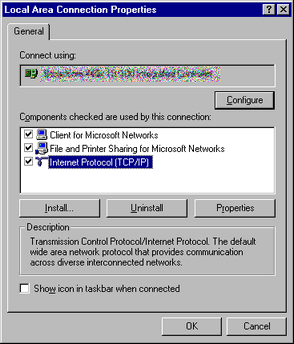
When [Ehernet Properties] appears, select [Internet Protocol Version 4 (TCP/IPv4)] and click the [Properties] button.
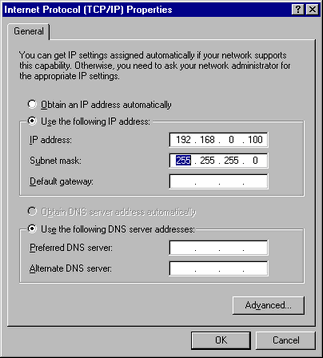
Select [Use the following IP address] and specify the IP address and subnet mask. (Example: 192.168.0.100, 255.255.255.0) Click the [OK] button to complete the setting.

-
For details about the IP address setting, ask your network administrator.