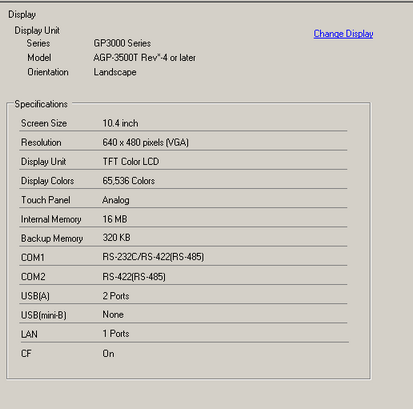
Displays the specified display unit specifications.
Display Unit
Displays the display unit model number.

Commonly displayed on all the screens called from the System Settings.
Series
Displays the series name of a display unit.
Model
Displays the model name that supports the display unit series.
Orientation
Displays the display unit installation method with [Landscape] or [Portrait].
Specifications
Displays the specifications of the display unit specified in [Display Unit].
Change Display Unit
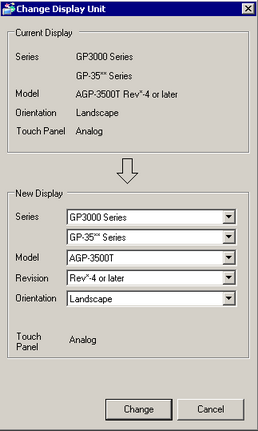
The following dialog box appears. Change the display unit model to be used for the project file.
Current Display
Displays the series name, model name and installation method of the currently specified display unit.
New Display
Specifies the [Series], [Model] (or [Box Module] and [Display Module]), [Orientation], and [Revision] of the display unit that you're changing. If you select [IPC Series (PC/AT)] or [PFXGP6B40*], which do not support portrait orientation, also select [Screen Size].
Displays the [Revision] field when you select a model that requires revision information.
When the resolution differs before and after conversion, or you change [Orientation] in the following models, specify whether to adjust the resolution automatically.
GP6000 Series
ST6000 2nd Gen Series
If you convert the resolution, the part size, position, and the text size are adjusted automatically according to the display resolution and orientation of the model whose resolution has been converted. Some scale magnification may not convert properly due to text size and resolution limitations.
Adjust Function Key Position
Specifies whether to adjust the positions of the function keys when you change the display unit model between the following models. If specified, you can assign the functions of the function keys set for the current model to the keys in the same positions.
PFXGPH6400WA*
GP4000H Series
GP3000H Series
If the function keys for the current display unit are not in the new display unit, the functions set for those keys are not transferred.