9.1 Settings Menu

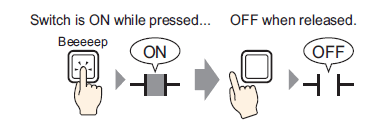
Turning Bit ON While Touch

Overview 9.2 Turning Bit ON While Touch

Steps 9.2.1 Procedure - Turning Bit ON While Touch


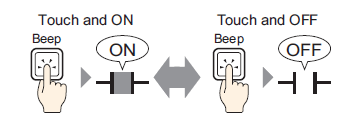
Inverting a Bit ON/OFF

Overview 9.3 Inverting a Bit ON/OFF

Steps 9.3.1 Procedure - Inverting a Bit ON/OFF


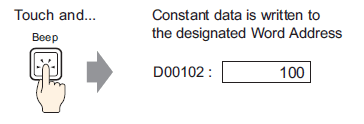
Writing a Value

Overview 9.4 Writing a Value

Steps 9.4.1 Procedure - Writing a Value


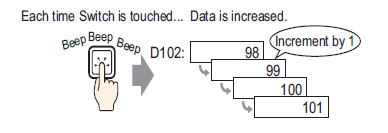
Increasing/Decreasing a Value

Overview 9.5 Increasing/Decreasing a Value

Steps 9.5.1 Procedure - Increasing/Decreasing a Value


Conditionally ON (Comparison)

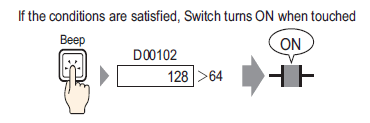
Overview 9.6 Conditionally ON (Comparison)

Steps 9.6.1 Procedure - Conditionally ON (Comparison)


Using Interlock to Prevent Malfunctions

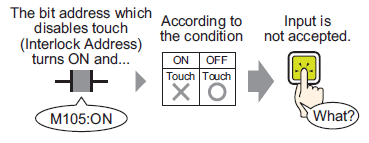
Overview 9.7 Using Interlock to Prevent Malfunctions

Steps 9.7.1 Procedure - Using Interlock to Prevent Malfunctions


Creating a Delayed Operation Switch

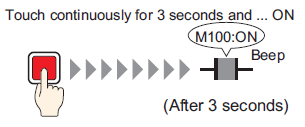
Overview 9.8 Creating a Delayed Operation Switch

Steps 9.8.1 Procedure - Creating a Delayed Operation Switch


Setting a Delay Time for Switch OFF

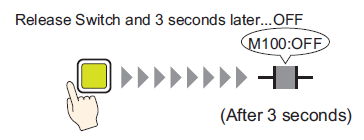
Overview 9.9 Setting a Delay Time for Switch OFF

Steps 9.9.1 Procedure - Setting a Delay Time for Switch OFF


Changing and Displaying Messages (Text)

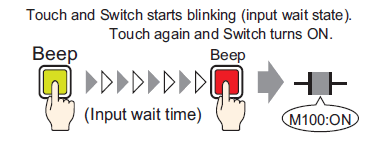
Overview 9.10 Confirming Before Turning a Switch ON (Double Touch)

Steps 9.10.1 Procedure - Confirming Before Turning a Switch ON (Double Touch)


Creating a Color-Changing Switch

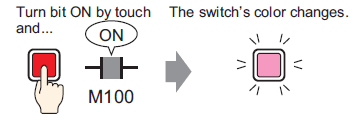
Overview 9.11 Creating a Color-Changing Switch

Steps 9.11.1 Procedure - Creating a Color-Changing Switch


Performing Multiple Functions with One Switch

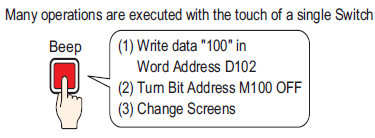
Overview 9.12 Performing Multiple Functions with One Switch

Steps 9.12.1 Procedure - Performing Multiple Functions with One Switch


Creating a Radio Switch

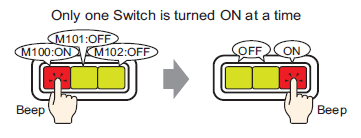
Overview 9.13 Creating a Radio Switch

Steps 9.13.1 Procedure - Creating a Radio Switch


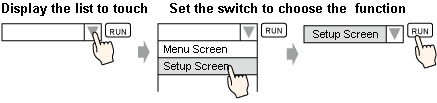
Creating a Switch that can Select a Feature from a List

Overview 9.14 Creating a Switch that can Select a Feature from a List

Steps 9.14.1 Procedure - Creating a Switch to Select Features From a List