-
Please refer to the Settings Guide for details.
 22.10.1 Common Settings (Security Settings) Settings Guide
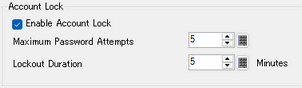
You can set the number of incorrect password attempts before a user ID (account) is locked, and the time limit before the lockout is lifted.
Please refer to the Settings Guide for details.
22.10.1 Common Settings (Security Settings) Settings Guide
From the [Common Settings (R)] menu, point to [Security (Q)] and select [Security Password (P)] or click  on the toolbar.
Password setting screen will open. Select the [Enable Security Function] check box, and select "User ID-Enhanced" from the pull-down menu.
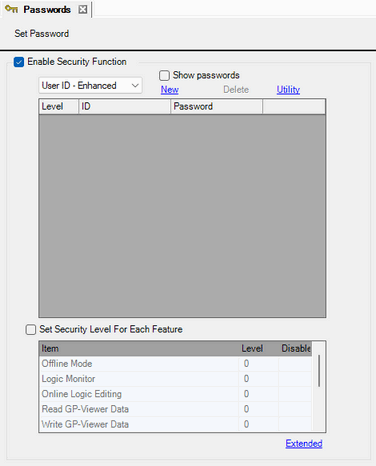
The account is registered. Click [New] and set the level, ID, and password.
Select the [Set Security Level For Each Feature] check box and set the level.
Click [Extended].
Select the [Enable Account Lock] check box and set the [Maximum Password Attempts] and [Lockout Duration].