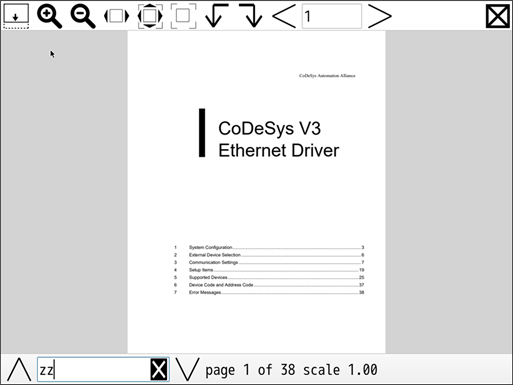
Operate PDFs using the toolbars displayed at the top and bottom of the PDF Viewer.

The PDF Viewer is a full-screen display. It is not displayed as a window size.
Depending on the display screen size, some icons on the right side of the toolbar may be hidden. Swipe the toolbar to the left to reveal hidden icons.
(1) 
Shows/hides the footer.
(2)(3) 

Enlarges or reduces the PDF.
The magnification can be set between 0.25 and 4.00. (1.00 is the 100% display)
When the PDF is enlarged, you can scroll by flicking.
(4) 
Enlarges or reduces the PDF to fit the width of the screen.
(5) 
Displays the PDF to fit the display area.
(6) 
Displays the PDF at 100% magnification.
(7)(8) 

Rotates the PDF 90-degrees to the left or right.
(10) 
Displays the currently displayed page number in the PDF.
(9)(11) 

Moves to the previous page or the next page.
(12) 
Closes the PDF Viewer.
(14) 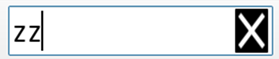
Enter a keyword to search for in the PDF. The search results will be highlighted.
Click the icon to the right of the input window to exit the search.
You cannot use a blank space at the end of search condition.
The search target can be up to 64 single-byte characters.
(13)(15) 

Displays the search result above or below. The search results will be highlighted.
If there are no search results, nothing will be displayed.
(16)(17) 
Displays the current page number and total number of pages in the PDF.
(18) 
Displays the display magnification.