
-
Please refer to the Settings Guide for details.
 28.4.1 Common Settings (PDF Viewer/Web Browser Settings) Settings Guide
Please refer to the Settings Guide for details.
28.4.1 Common Settings (PDF Viewer/Web Browser Settings) Settings Guide
From the [Common Settings (R)] menu, select [PDF Viewer/Web Browser Settings] or click  .
.
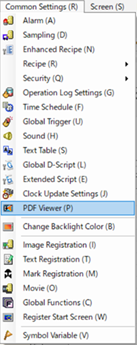
The setting screen opens. Click the [Web Browser] tab.
Select the [Enable Web Browser] check box.
In [Control Word Address], set the address (example: LS3000) to control the HTML or webpage display.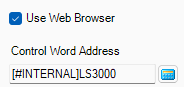
Select [Save In].
Enter [File Name/URL] for the HTML or webpage to display.
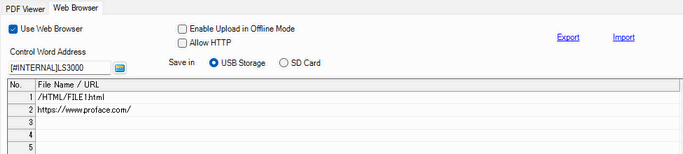
The file number can be set up to 1000.
Use only single-byte alphanumeric characters and symbols (_.,-) for the file name. You can use up to 255 characters.
Confirm that the displayed HTML or webpage is secure.