
-
Please refer to the Settings Guide for details.
 28.4.1 Common Settings (PDF Viewer/Web Browser Settings) Settings Guide
Please refer to the Settings Guide for details.
28.4.1 Common Settings (PDF Viewer/Web Browser Settings) Settings Guide
From the [Common Settings (R)] menu, select [PDF Viewer/Web Browser Settings] or click  .
.
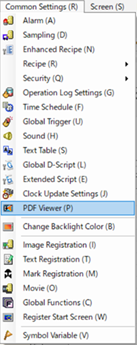
The setting screen opens. Select [Use PDF Viewer].
In [Control Word Address], set the address (example: LS3000) to control the PDF display.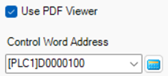
Select [Save In].
Enter [File Name] and [Page Number] for the PDFs to display.
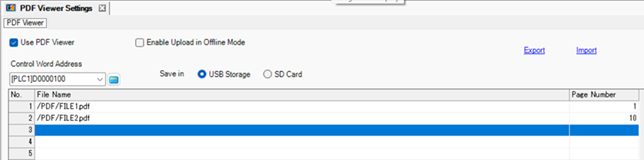
The file number can be set up to 1000.
Use only single-byte alphanumeric characters and symbols (_.,-) for the file name. You can use up to 255 characters.
You can set a value up to 65535 for [Page Number].