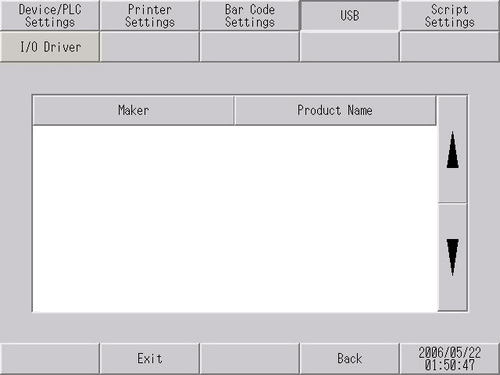
Displays information (manufacturer and product name) about the USB device connected to the display unit.
Maker
Displays the manufacturer name of the USB device connected to the display unit.
Product Name
Displays the product name of the USB device connected to the display unit.
Several USB devices of the same category in the following table cannot be simultaneously used. Even if multiple USB devices of the same category are connected to the display unit, only the first USB device recognized by the display unit can be used. Note that WinGP may use multiple USB devices.
|
Category |
USB device |
|
1 |
Printer, USB-PIO converter |
|
2 |
Keyboard, Numeric keys, Barcode reader |
|
3 |
Mouse |
|
4 |
USB storage (USB memory, SD card reader, etc.) |
|
5 |
USB transfer cable |
|
6 |
USB-Serial (RS-232C) adapter cable, USB/RS-422/485 conversion adapter |
|
7 |
EZ Tower Light |
|
8 |
EZ Illuminated Switch |
|
9 |
EZ Numpad |
|
10 |
EZ LAN Adapter |
USB Device Connections Using WinGP
If multiple instances of the following USB devices are connected, each USB device operates according to the Windows operating specifications.
Printer, USB-PIO converter
Keyboard, Numeric keys, Barcode reader
Mouse
The USB device specified in the project is used for USB storage (USB memory, SD card reader, etc.).
The following USB devices cannot be used.
USB-Serial (RS-232C) conversion cable
USB/RS-422/485 conversion adapters
EZ LAN Adapter