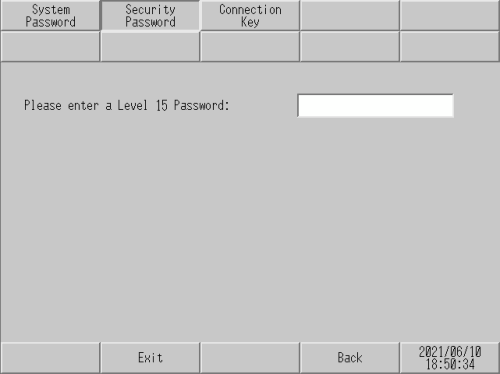
Any password from level 1 to level 15 can be changed when you enter the level 15 password from the login screen below.
The screen for changing the password is different depending on which mode is selected: [Level Mode], [User ID Mode], or [User ID Mode-Enhanced].
Level Mode
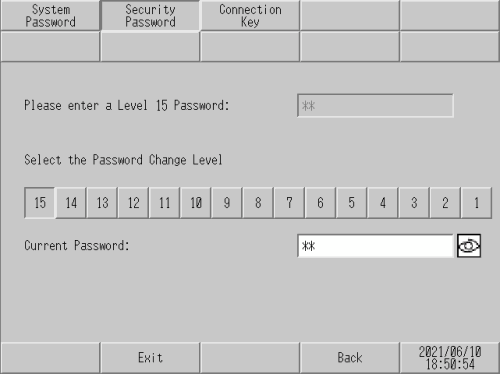
Please input the Level 15 Password
Enter the level 15 password to change the security password.

When the project is not set up with a level 15 password in the screen editing software, you cannot change the security password in offline mode. Set up the security password in a project file and transfer the file to the display unit.
Select the Password Change Level
Select the password level from 1 to 15.
Current Password
Enter the current password.
User ID Mode/User ID Mode-Enhanced
You can register User ID/Password/Level.
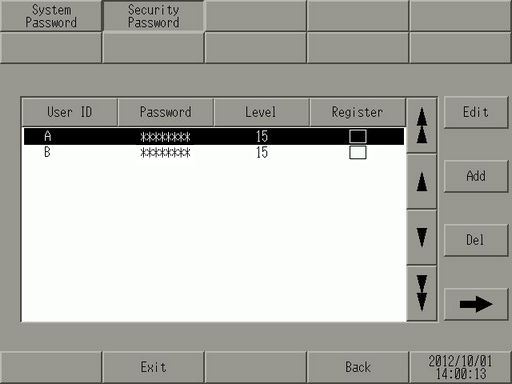
User ID/Password/Level
Displays the set security data.
Edit/Add
You can register or edit a User ID/Password/Level.
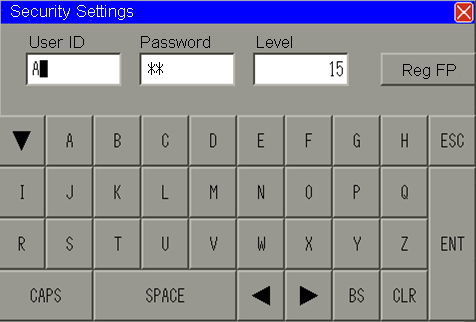
User ID/Password/Level
Set the user's User ID/Password/Level.