
-
For details about the setting screen, refer to the setting guide.
 M.20.1.2 Main Unit - Video Settings (Video)
You can adjust the video display when using the VM unit.
For details about the setting screen, refer to the setting guide.
M.20.1.2 Main Unit - Video Settings (Video)
For details about the setting screen, refer to the setting guide.
M.21.1.2 Main Unit - VM Unit Settings (Video Display Adjustments)
Go to offline mode and touch [Main Unit Settings] on the item changeover switch.
[Main Unit Settings] screen opens. Touch [VM Unit Settings].
[VM Unit Settings] screen opens. Touch [Video Display Adjustment].
[Video Display Adjustment] screen opens. Check the settings or touch the item that you want to change. to go to the next page, touch the right arrow key at the bottom right of the screen.
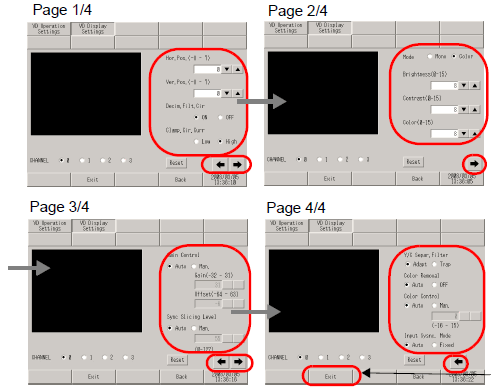
[Exit] displays the [Exit] dialog box. Touch [Save changes and exit]. The display unit restarts automatically.