-
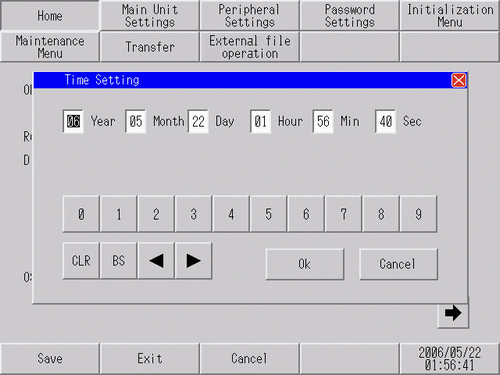
The display unit internal clock has a slight error. When displaying the defined time using tags or other settings, be aware of the following. At normal operating temperatures and conditions, with the display unit operating from its lithium battery, the degree of error is plus or minus 65 seconds per month. Variations in operating conditions and battery life can cause this error to vary from -380 to +90 seconds per month. For systems where this degree of error will be a problem, the user should monitor the clock and make adjustments when required.
-
If the backup battery runs out, the clock data is initialized. Also, for the GP4000 Series (excluding the GP-4100 Series), data in the backup memory (SRAM) is lost as well.
For displays with rechargeable batteries, supply power to the display unit and set the clock data again. The display unit is recharged so it can handle back ups, 24 hours after the power is turned ON. It takes up to 120 hours (5 days) to complete charging. Check the Hardware Manual for charging times required by the display unit.
For displays with non-rechargeable batteries, change the batteries by referring to the Hardware Manual for your display unit and set the clock data again.
-
When the Clock Update Settings is set to [Cycle], time adjustment in offline mode is disabled. Time data is acquired from a device/PLC when returning to the Transfer screen.

 4.6.2 Restrictions for Adjusting the Clock