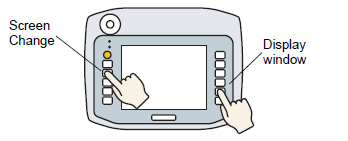
You can set up often-used switch and key features on the Hand-held GP's local function keys, which operate only when the associated screen is displayed.
The following describes how to set up a screen change operation on the F1 key.

You can set up the unit so that function key and touch panel operations work only when the Operation Switch (OP) is pressed.
 4.4.3 System Settings [Display Unit] - [Operation] Settings Guide
One function key can be set up with both local and global function key operations.
41.4 Setting Up Common Function Keys for All Hand-held GP Screens
41.3.1 Procedure - Setting Up Function Keys on the Hand-held GP