6.1 Settings Menu

Connecting to Multiple Devices/PLCs

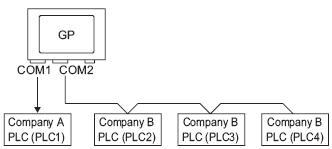
Overview 6.2 Connecting to Multiple Devices/PLCs

Steps 6.2.1 Procedure - Connecting to Multiple Devices/PLCs


Disconnecting Multiple Connected Devices/PLCs

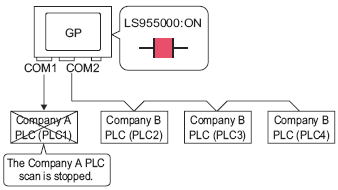
Overview 6.3 Disconnecting Multiple Connected Devices/PLCs

Steps 6.3.1 Procedure - Stop Communications

Steps 6.3.2 Procedure - Confirming the Communication State

To stop the display unit from scanning for a device/PLC, set the communication bit to OFF.


Changing a Device/PLC

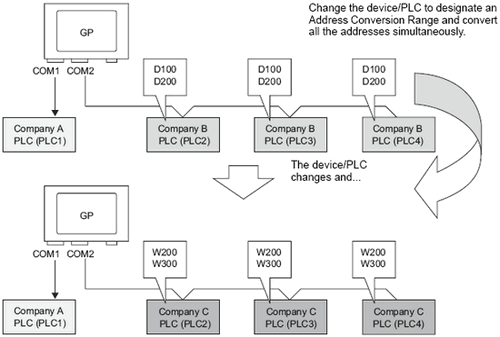
Overview 6.4 Changing a Device/PLC

Steps 6.4.1 Procedure - Converting the PLC type without designating an Address Conversion Range

Steps 6.4.2 Procedure - Converting the PLC type and designating an Address Conversion Range


Changing the Device/PLC at Runtime (Indirect Device)

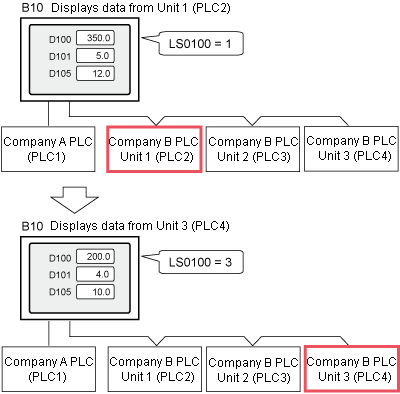
Overview 6.5 Changing the Device/PLC at Runtime (Indirect Device)

Steps 6.5.1 Procedure - Changing the Device/PLC at Runtime (Indirect Device)

Change a connected device without changing a screen.


Connecting Multiple Display Units to One Device/PLC (Ethernet Multilink)

Overview 6.6 Connecting Multiple Display Units to One Device/PLC (Ethernet Multilink)

Steps 6.6.1 Procedure - Connecting Multiple Display Units to One Device/PLC (Ethernet Multilink)

Steps 6.6.2 Procedure - How to Calculate the Communication Traffic


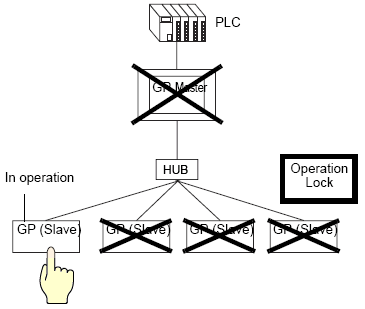
Preventing Operations from Other Display Units (Ethernet Multilink)

Overview 6.7 Preventing Operations from Other Display Units (Ethernet Multilink)

Steps 6.7.1 Procedure - Preventing Operations from Other Display Units (Ethernet Multilink)


Using Device/PLC Tags

Overview 6.8 Using Device/PLC Tags

Steps 6.8.1 Procedure - Using Device/PLC Tags